What "Intercepting a Radial" Actually Means
Intercepting a VOR radial means maneuvering your aircraft to capture a specific course to or from a VOR station and then tracking along it. A radial is a magnetic line extending outward from the VOR — the 270 radial points due west of the station — and intercepting it is the act of flying from wherever you currently are onto that line, then following it.
This is one of the most practical skills in radio navigation. ATC will clear you to "intercept the 340 radial inbound," a published approach will route you along a specific course, and a cross-country leg will have you joining an airway defined by radials. If you cannot reliably capture a course without wandering across it, everything downstream becomes harder.
The good news: intercepting a radial is a repeatable, four-step procedure. Once you understand the logic, it stops being guesswork and becomes a checklist you run every time.
The Instruments You Will Use
The Omni-Bearing Selector (OBS) is the knob that rotates the course card on the VOR indicator. You use it to dial in the course you want to fly — this tells the instrument which radial you are trying to capture.
The Course Deviation Indicator (CDI) is the vertical needle. Once you have set a course with the OBS, the needle shows you which way that course lies relative to the airplane. If the needle is deflected to the right, the course is to your right; fly toward the needle to reach it. Full-scale deflection represents about 10 degrees off course, with each dot roughly 2 degrees.
The heading indicator is the third piece. Intercepting is fundamentally about picking a heading that closes the gap between where you are and the course you want — so you will constantly be relating your heading to the course set in the OBS.
Step-by-Step: Intercepting a VOR Radial
Step 1 — Tune and identify. Set the VOR frequency and confirm the Morse identifier. Never navigate off an unverified station; if you cannot identify it, the needle means nothing.
Step 2 — Set the course with the OBS. Twist the OBS to the radial or course you have been assigned. If you are told to intercept the 090 radial inbound, you are flying a course of 270 toward the station, so set 270 in the OBS. Note whether the flag reads TO or FROM — inbound to the station is a TO indication.
Step 3 — Read the needle and turn to an intercept heading. Look at which side the CDI is deflected. That is the direction of the course from your present position, so turn toward the needle. Choose an intercept heading that angles into the course — commonly 30 to 45 degrees, though you can use up to 90 degrees for a fast capture when you are close or short on time.
Step 4 — Fly the intercept and lead the turn. Hold your intercept heading and watch the needle move toward center. As it approaches the middle, begin turning onto the course heading — do not wait until the needle is centered or you will sail right through it. Roll out on the course, then make small heading corrections to keep the needle centered, adding wind correction as needed.
Choosing Your Intercept Angle
The intercept angle is the difference between your intercept heading and the final course. A larger angle captures the course faster but requires a bigger, better-timed turn to avoid overshooting. A smaller angle is gentle and forgiving but takes longer and covers more ground — a problem if you are close to the station or the fix.
A reliable rule of thumb is 30 to 45 degrees for most situations. Increase toward 60 or even 90 degrees when the needle is only slightly deflected and you want to join quickly; decrease toward 20 degrees when you are far out and have plenty of time. As the distance to the station shrinks, the radials converge, so the needle becomes more sensitive and a given intercept angle captures the course sooner than it would farther out.
This trade-off is exactly the kind of thing that is hard to feel from a textbook and easy to feel in a simulator, where you can run the same intercept at 30, 45, and 90 degrees and watch how each one plays out.
Common Mistakes — and How to Avoid Them
Turning away from the needle. The single most common error is turning the wrong way. The fix is simple and absolute: with the OBS set to the course you intend to fly, turn toward the needle. If it is right, the course is right.
Overshooting the course. Waiting until the needle is perfectly centered before starting your turn guarantees you will fly through the course, especially with a steep intercept angle. Lead the turn — begin rolling onto the course heading as the needle comes alive toward center.
Chasing the needle. Near the station the CDI gets twitchy, and pilots respond with large, frantic heading changes that make things worse. Make small corrections — five to ten degrees — and give them time to work.
Reverse sensing. If you set the OBS opposite to your direction of flight, the needle deflects backward and turning toward it takes you the wrong way. Always set the OBS to roughly match the direction you are actually going, and the needle behaves intuitively.
Practice Until It Is Automatic
Intercepting a radial is a physical, visual skill, not a memorized paragraph. You build it by doing it — enough times that "turn toward the needle, lead the turn, correct small" happens without conscious thought.
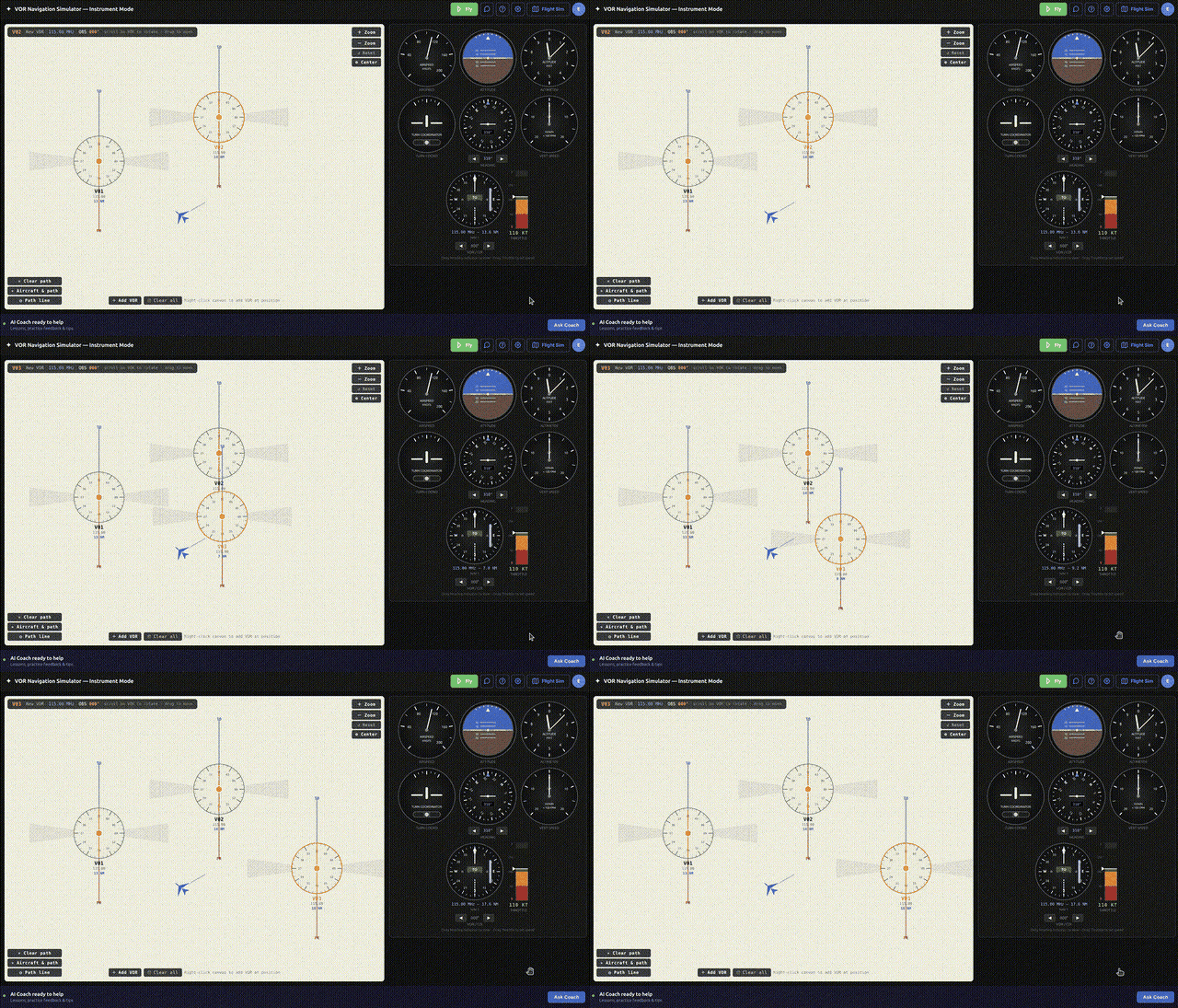
A VOR simulator is the ideal place to log those reps. In the RadialCoach instrument simulator you can set up an intercept, fly it, reset, and immediately try again with a different angle or wind, watching the geometry from above so the cause and effect is obvious. Ten focused intercepts on the ground will do more for your confidence than an hour of hoping it clicks in the airplane.